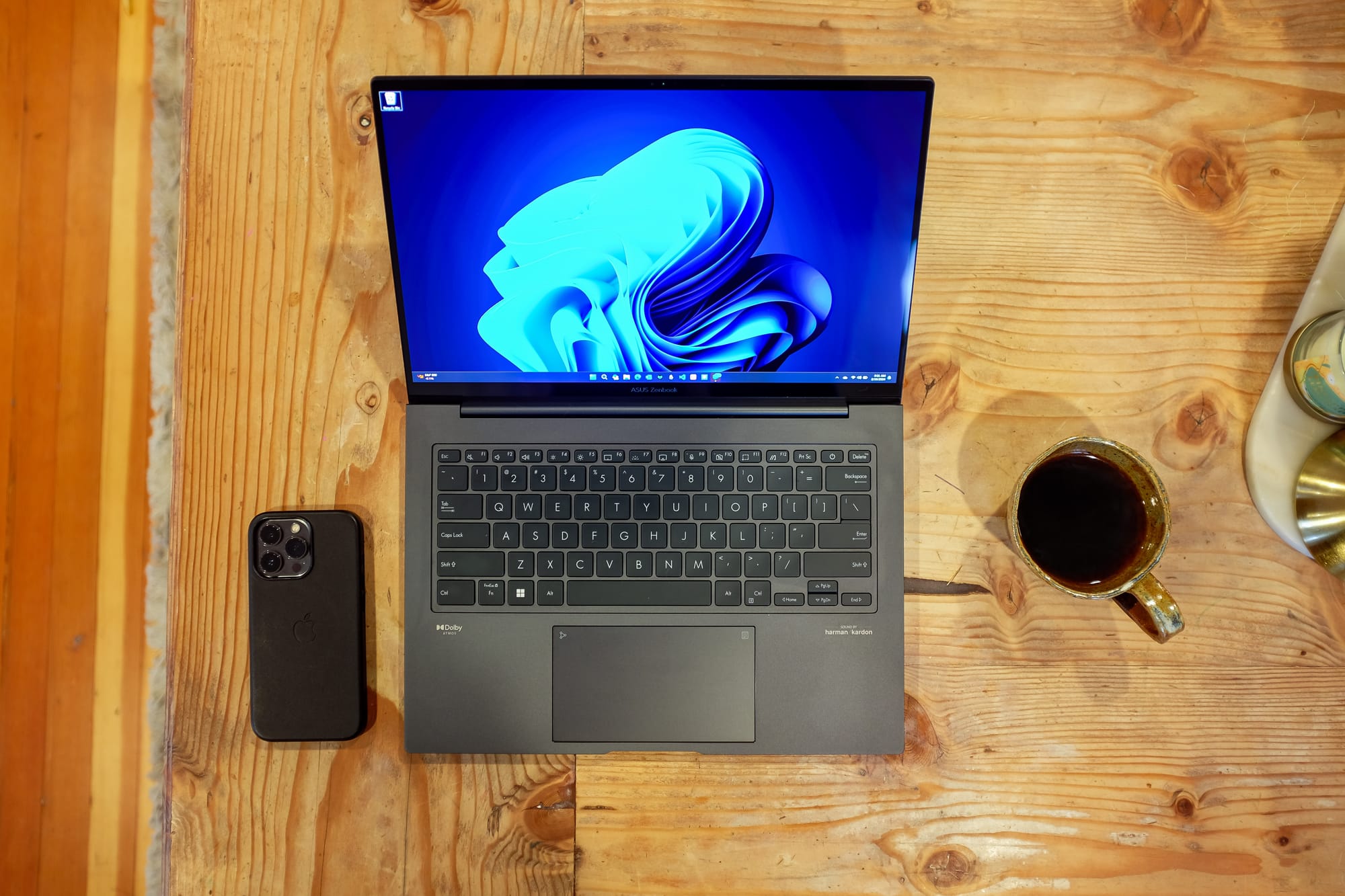
A true competitor in an Apple premium world.
After using the iPad Pro for some time and going through my Pro Computer Guilt phase, I decided that I wanted a computer that did more for me. Not in the sense that the iPad Pro couldn’t do everything, but I prefer certain features for my main computer that the iPad Pro, at this stage, isn’t preferable.
I am still a very big defender and advocate of using an iPad Pro as a true computer that can do most things, if not everything, very well. I lean on the side of preference over capability when it comes to choosing a computer, and choosing the Asus Zenbook 14X has things that I definitely prefer compared to other computers.
Before I review the hardware, software, and overall usability of the Zenbook, I do want to address a big change in me reviewing a Windows PC. Over the past four years, I have written consistently about Apple platforms on Techuisite. Talking about a Windows computer isn’t new, but talking about it as a replacement for an Apple product is.
 Paul Alvarez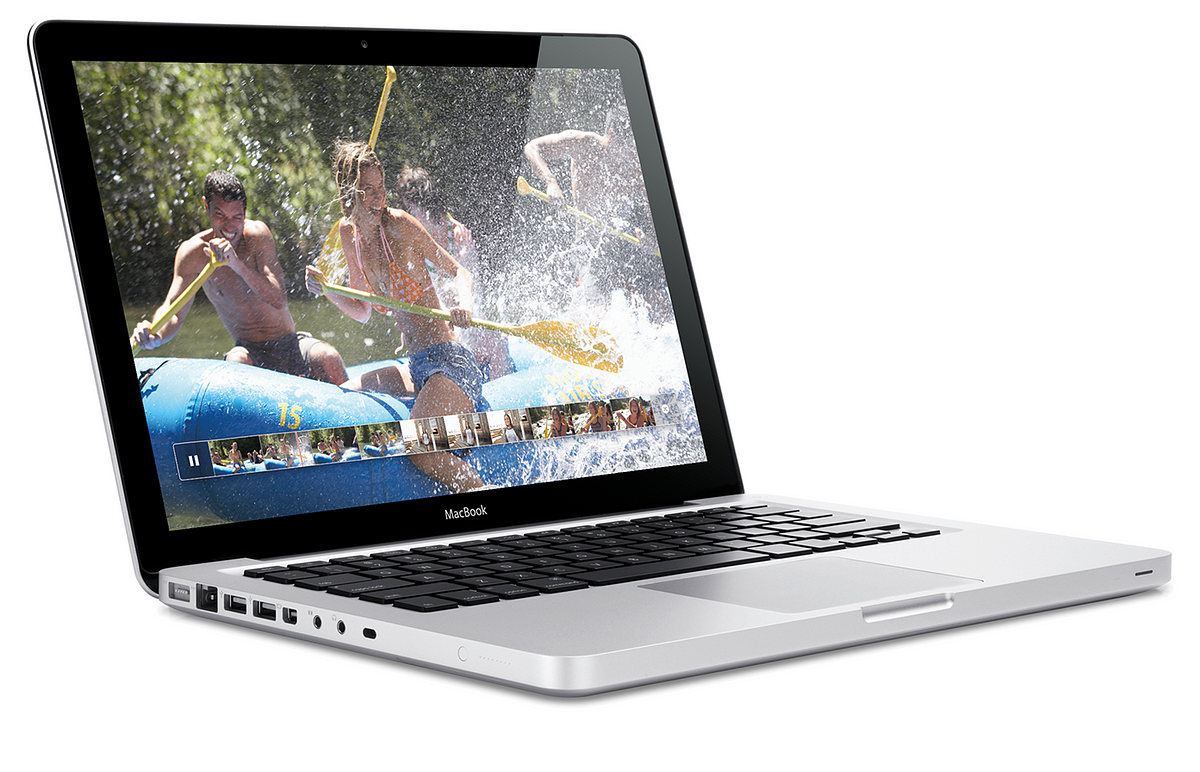
Windows 11 has brought a lot of changes to Windows, and I think in a good way. I think as tech reviewers, it is easy to get stuck within one ecosystem and not branch out a bit to see what else is out there. I think I would still prefer and want a MacBook Pro one day, but as I stated in my _Pro Computer Guilt post, the one I want is going to be over $3,000.
That is all to say that once I started looking outside of the Apple.com page at other computers that run Windows, I found a lot of features that I prefer that were not only substantially better than options I could choose with Apple, but also much more affordable.
There is also a long list of other Windows laptops that I could have purchased. Some of those are the Dell XPS 13, Lenovo Yoga or Thinkpad X1 Carbon, HP Spectre, and so many others that are outstanding computers. The reason I chose the Asus Zenbook 14X was mostly the price but with that price it is also packed with a bunch of other features that share a lot of similarities with the laptops I listed above.
So with that out of the way, let’s get to the actual review of the Asus Zenbook 14X (I will be calling it 14X going forward). I will admit right off the bat that I think this will be my new main computer for some time, which is a huge change for me being on macOS for personal use for so long. But as I will discuss later, moving away from it isn’t as unfamiliar as it may seem.
Hardware
Starting off, I think it is important to address some of the things that I have loved about MacBook hardware, and comparing that to the 14X. The biggest improvement since Apple redesigned their MacBooks during the M series transition was the keyboards. For a while, they were not only very unpopular in terms of their feel but also unreliable.
Now, from the Air to the Pros, the MacBooks’ keyboards are touted as one of the best out there. I agree that the keyboards are great on every MacBook, but I don’t know if it is necessarily better than this Asus Zenbook. After writing quite a bit on this keyboard, I will say that it is definitely different, and I think I may prefer it more than the MacBooks’.
The keyboard has plenty of travel, and I like the subtle squishiness that you feel when you type fast. I also think this keyboard is quieter than the MacBook Air and Pro. The other night, when I was typing in bed next to my sleeping wife, it felt like the sound of my typing was much quieter than usual when I did the same with MacBooks and even the iPad Pro’s Magic Keyboard.
So the keyboard has been a huge plus so far. The other thing that the MacBooks continue to shine with is their trackpads. The lack of mechanical mechanisms and the ability to click the large trackpads anywhere is a huge highlight when buying a Mac laptop. This is an area the 14X can’t keep up in terms of greatness, but it isn’t bad.
The trackpad has the option to turn on a number pad which I think is a bit cheesy and not something I plan to use ever. It doesn’t affect the trackpad itself much except when I accidentally hit the button and turn on the number pad. It hasn’t happened that much, but it is annoying when it does.
The trackpad itself is fine. You can’t click anywhere like you can on MacBooks, but I also hardly ever do that so it is no big deal. It clicks well and is very reliable. I can tell it has a mechanical mechanism, so it feels old school, but again, it works. I also have a wireless mouse that I actually prefer to use, so the trackpad isn’t always needed.
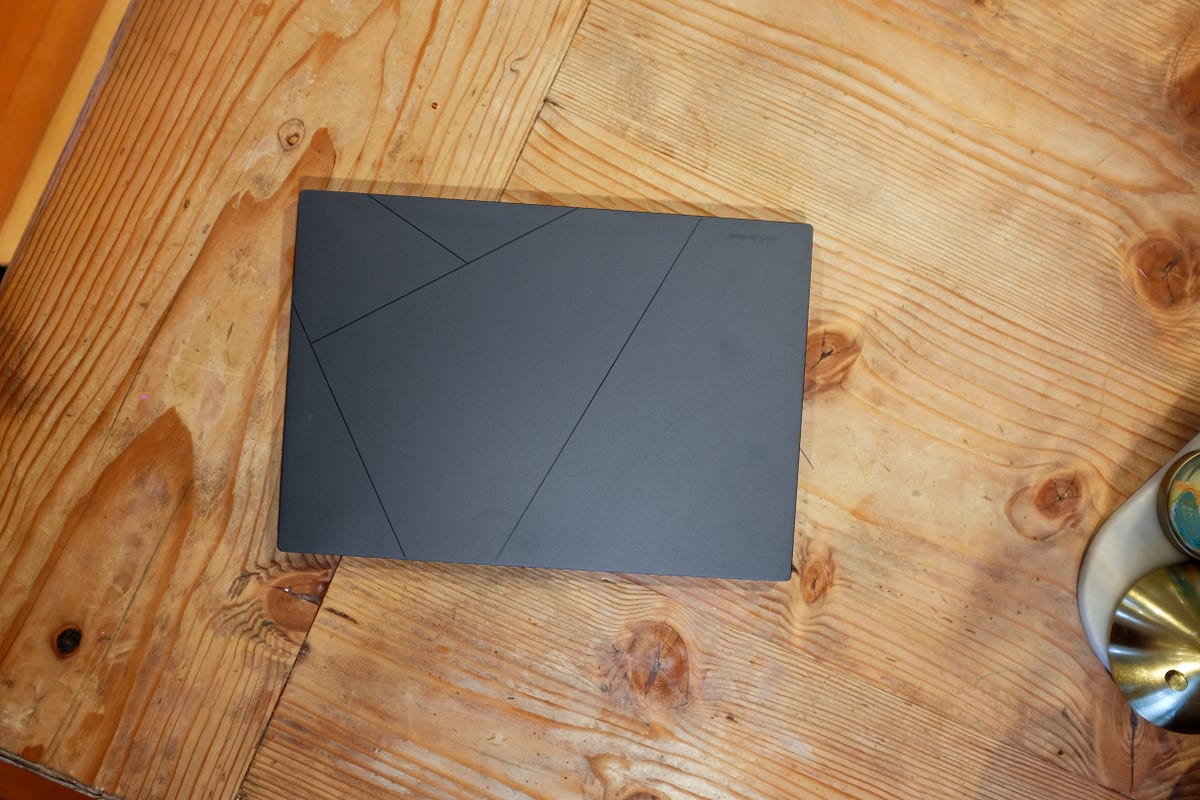
The casing of the Asus Zenbook 14X is just plain beautiful. Not as beautiful as maybe the Midnight color on the MacBook Airs or the Space Black on the MacBook Pros, but it is definitely up there. The color that Asus calls it is Inkwell, and it is a sort of slate grayish-blue color. It also has a cool design on the top that apparently symbolizes an A for Asus — something I found out after watching a review about the device.

Not only is the casing beautiful, but apparently, it is military-grade aluminum, so it is tough. I like the premium feel of the aluminum, and the sharp edges are a nice touch too. It definitely feels more like a Windows machine than Mac, but I think it is well thought out and really sleek looking overall.
It rocks all the ports too. A single USB-A port on the left side, and on the right side HDMI, headphone jack, and two Thunderbolt 4 USB-C ports that support power delivery and displays. On the right side, there is also a couple of light indicators, one for the Battery/Charge and Power.
The Battery Indicator has two colors, orange or white, that shows solid orange when it is charging, blinking orange when the laptop is running on battery with only 10% or less left, solid white when it is fully charged, or off when it is running on battery with plenty of charge left. The Power Indicator lets you know if the laptop is powered on, off, or starts to blink when it is asleep.
The light indicators feel very old school. I know Apple has had some light indicators on their laptops, and currently on the MagSafe charger, but it feels like a Windows and Android feature. I remember loving the multi-color light on my Nexus 4 that I would customize to show me certain notifications without the screen needing to turn on — very nostalgic.
When it comes to other things like the camera, speakers, and microphones, I really don’t spend too much time worrying or trying those things out when I get a new laptop. Maybe it is because I don’t do a lot of calls on my laptop that require me to have a nice camera, but even when I use my work laptop that has an awful camera for Zoom calls, I really could care less. It is a tool for me more than an important feature.
I also like to use headphones whenever I am on any computer. My AirPods Pro are connected to everything I own, and they are my first go-to when I want to listen to music or watch something on my laptop. I also have some Sony over-the-head headphones that I use as well. So even though the speakers are decent on the 14X with Dolby Atmos and Harman Kardon features, I don’t really care that much.
Before I move on from hardware, I saved the most important for last; the display. When I found out that this laptop was not only packing great specs that include an i7 Intel Evo processor, 16 GB of RAM, and a 512 GB SSD, but also a 2.8K OLED display with 120 Hz refresh rate, I was amazed. Especially all that at a price under $700.
To say the display on this laptop is great would be an understatement. The OLED makes all of the colors pop, and along with the high refresh rate, everything just feels smooth and wonderful. Like typing on the iPad Pro or a MacBook Pro with mini-LED, typing text on this display feels buttery and smooth.
The bezels are also tiny surrounding the glorious 14.5-inch display, making it feel like I have so much room to do anything. The whole package, even with a larger 14-inch display, feels smaller than the 14-inch MacBook Pro. Both weigh the same at 3.4 pounds, and the dimensions are also similar, with the MacBook Pro sized at 12.31 x 8.71 x 0.61 (Width, Depth, and Thickness in inches) versus 12.67 x 8.88 x 0.67 for the 14X.
It may be the sharp tapering underneath on the 14X gives the illusion that it is smaller than the MacBook Pro with its more boxy design. I don’t know if I prefer one over the other, but I think it is interesting that even though the 14X is slightly bigger, it doesn’t feel so at all. Especially since it has a slightly bigger display too.
As mentioned many times now, the display is 14.5 inches and provides a very nice 16:10 aspect ratio. With 2880 x 1800 pixels making it a 2.8K resolution, the text is super crisp and everything looks really nice throughout Windows 11. Because Windows 11 has a vibrant design, the colors and icons pop on this display, providing an experience of using Windows I have never experienced before.
My conclusion on the hardware for this laptop is that it is outstanding. I have used ThinkPads and Dell XPS laptops in the past and really liked them. I have also used an HP Spectre and found it to be interesting and different. But this Asus Zenbook 14X OLED has opened my eyes to what Windows PC manufacturers can do, and the design and feel of this laptop are right up there with Apple’s options.
Software and Performance

Now that I am considering moving back to Windows again, I plan to do another post discussing more details on my thoughts switching from the Mac after so long. I wanted to touch on how I feel about the software and operating system in this review and how it specifically pertains to me using this laptop. So I plan to just cover a few apps and examples of my experience in using the operating system on this 14X but also performance.
As mentioned briefly before, the 14X has a 13th Gen Intel Evo i7 processor, 16 GB of RAM, and a 512 GB SSD. The great thing about the SSD is it is user-upgradable, so if I wanted to jump to a 1 TB or higher in the future, I can. The cost savings alone in being able to upgrade the storage myself is huge. Especially when Apple doesn’t allow you to upgrade later in their laptops and are infamous for how expensive they charge for higher storage options.
With an i7 processor and 16 GB, this laptop feels super snappy. I rarely have any slowdowns or delays when I open apps or scroll through thousands of photos. I did sync all of my iCloud data onto it and with my entire iCloud Photos library in photos, scrolling through photos is a breeze with no jittering. There are times when I am scrolling through the photos and it can take a while to render all of the preview images, but it catches up pretty quickly.
I use a Windows computer at work all day, and that Dell desktop has an 11th Gen Intel i9 with 32 GB of RAM. When I compare using this laptop to that desktop, I feel no difference in performance. Granted, I am not doing as much SQL querying or C# compiling on the 14X, but for basic tasks that I do on both machines, I feel no difference whatsoever.
Windows 11 is really nice, and using an OLED with all of the color that the OS brings provides a really great experience. I think using a Windows 10 computer all day for work has made me not think of using Windows for personal use since it feels so stale and corporate sometimes. It is an OS that I work in; not use to play or be creative.
But having Windows 11 and the fantastic hardware of the Asus Zenbook 14X has changed my perspective of using Windows. Especially when using certain apps and everything feeling just as smooth as a macOS laptop. The bottom line is that the performance and software offerings for this laptop are outstanding so far.
As for specific software, I have been currently using the following pretty heavily:
- Outlook
- MarkText
- Obsidian
- Lightroom
- Edge
- Copilot
- Apple Music
- Photos
- PWA apps (Mastodon and Threads)
When comparing these apps to the Mac or iPad Pro, you can argue besides Apple Music, Lightroom, and Obsidian, everything else I found an alternative for. Outlook instead of Mail, MarkText instead of Ulysses or Drafts, Edge instead of Safari, etc. The biggest loss is not having a native Apple Photos app. Even though the iCloud sync so far is working and my photos are integrating into the Windows Photos app okay, it does feel a little clunky and hacky.
Apple did just release their own versions of Apple Music, Apple TV, and a new iCloud app which removes the need of ever having to download iTunes again. And so far, the iCloud changes and the standalone Apple Music app are great. I have no need to watch AppleTV+ content on my laptop so I have yet to install that. But after installing a PWA version of Apple Music, having a native version by Apple is so much better.
I have been using Copilot a lot since a preview is available on my version of Windows. Since it is using Chat-GPT, that is how I am using it, and so far, it has been pretty convenient. It does have a 2000 character limit, but other than that, it seems to provide the same aggregated data that I normally look for when I use Chat-GPT for research purposes. I don’t see a need to upgrade to Pro yet, but we will see what Microsoft includes in 365 before my renewal comes up.
The only slowdown that I have really faced so far is using Lightroom and trying to add photos from iCloud Photos. I think because my library is so big, 45,000+ images and videos, I think maybe Windows itself or Lightroom struggles when trying to scroll through my list of photos to add into Lightroom for editing. This is where I wish Apple would just release an Apple Photos app for Windows for me to manage and access my photos directly
As for apps in general on Windows 11, I have yet to find anything that I can’t do or find an alternative for. Granted, I use Windows over 40 hours a week at my day job, so I am pretty familiar with apps and things that I need. But it is pretty great that I have not only found alternatives, but alternatives that I really like to use. Like Microsoft Photos and MarkText. Plus, I have access to all of the great Office apps that are native to the OS.
When it comes to the pure performance of the 14X, I have yet to feel any kind of slowdowns. Besides Lightroom struggling to bring up cloud photos in an explorer window, most of the time everything I do feels so fast. What is also great is I never hear the fans. Currently, I am in bed writing this with the laptop on top of my bed covers and still, the laptop is not getting hot at all.
In some of the reviews and reading that I did on the 14X, Asus has made sure that the fans are as quiet as possible and goes into a whisper mode when not plugged into the wall. It is really great, especially when you are used to fanless computers like the iPad and MacBook Airs. I do hear the fans ramp up when I am doing a Windows update, or when I was initially syncing all my data while the laptop was plugged in and set to Best Performance in settings.
Other than those instances though, I never hear the fans nor do I ever feel like this laptop gets hot. I know one of the main benefits of the M-series chips is their power draw needs and how they don’t need as much as some of the Intel processors. I think Intel has learned this and the EVO line has a better balance in terms of its power needs for performance.
Conclusion

Coming back to a Windows laptop was a little scary at first. Not because I am not familiar with Windows, but because the hardware has disappointed me so many times before. Even the laptop that I continue to use for work gives me angst every time I have to use it. The fans go on all the time, the performance throttles a ton, and I just feel like it is cheap feeling and boring.
What is interesting is my work laptop, probably 2–3 years old now, was around double what this 14X costs. A lot can happen in 2–3 years, but I think it is incredible what Asus is able to offer in terms of specs for such a low price. The cost for this exact laptop that was released brand new last year from Best Buy is 999, and goes on sale to around 699 quite a bit. I was able to get mine for well under $700 which is an even better deal.
But even at its full price at under $1,000, it is just incredible for the great display, i7 processor, and 16 GB of RAM. I think today 512 GB of SSD should be the minimum in terms of storage size, but at under a thousand dollars, 512 GB is pretty great. Along with the premium casing, great keyboard, and size, this laptop is truly a steal.

I did get a wireless Amazon Basic ergonomic mouse to use with this laptop since using a mouse in Windows just feels better to me than a trackpad. I would have preferred a Logitech mouse like the M705 or even a Master model, but this ten-dollar Amazon one works fine for my needs right now. I am really interested in all of the gestures that Windows continues to support now in switching to different desktops and apps, so having a customizable mouse to do these things would be ideal.
Overall, I am thrilled with this laptop and continue to be amazed at how much I love using a non-Apple computer. This isn’t meant to be a hater against any Apple or Windows lover, but just a recognition in myself of how much I like using Windows when I have been so sure I was going to prefer macOS forever. Apple still provides a lot of ecosystem lock-in that I sometimes prefer and would love to use, but until I can get the computer I want from Apple, I will not be disappointed in using this OLED gem of a computer.